

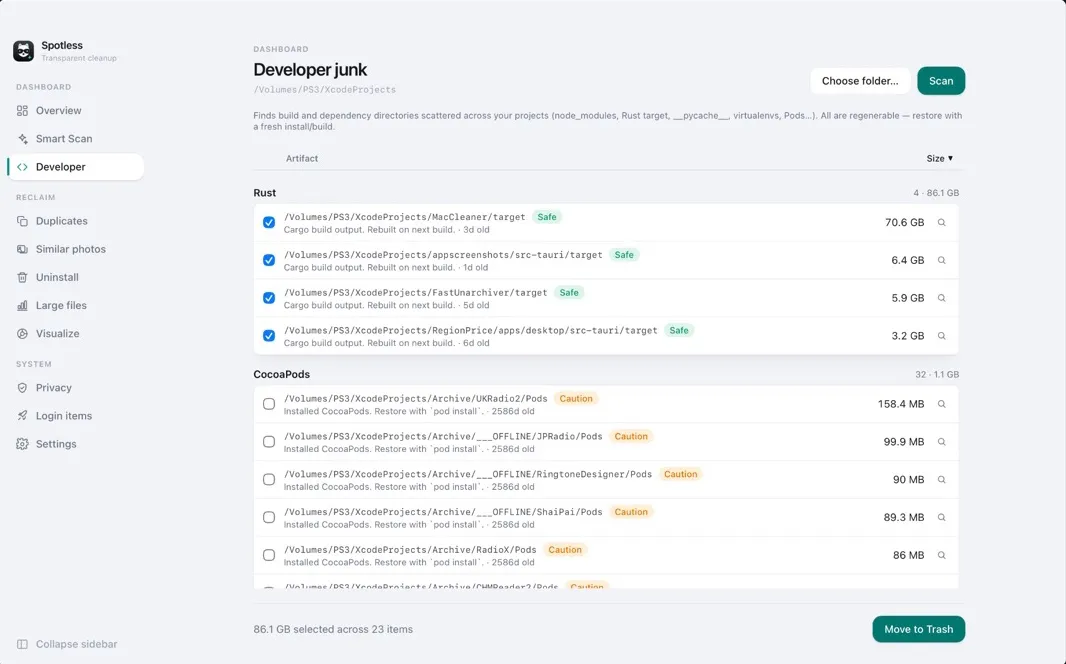
Developer clutter
Xcode DerivedData, archives and device support — plus the build folders scattered across your projects: node_modules, Rust target, Pods. Usually the biggest thing on a developer's disk, and all of it regenerates.
Free scan · pay only to clean
Find junk, duplicates, big files and app leftovers — and see exactly how much you'll get back before you pay a cent.
Universal · Apple Silicon + Intel · notarized · Apple Silicon build
Scan first, decide after
Plenty of cleaners blur the result until you buy. Spotless scans everything for free — every file, every size, every category — and only asks you to pay when you've decided it's worth cleaning.
Everything a disk fills up with
Xcode DerivedData, archives and device support — plus the build folders scattered across your projects: node_modules, Rust target, Pods. Usually the biggest thing on a developer's disk, and all of it regenerates.
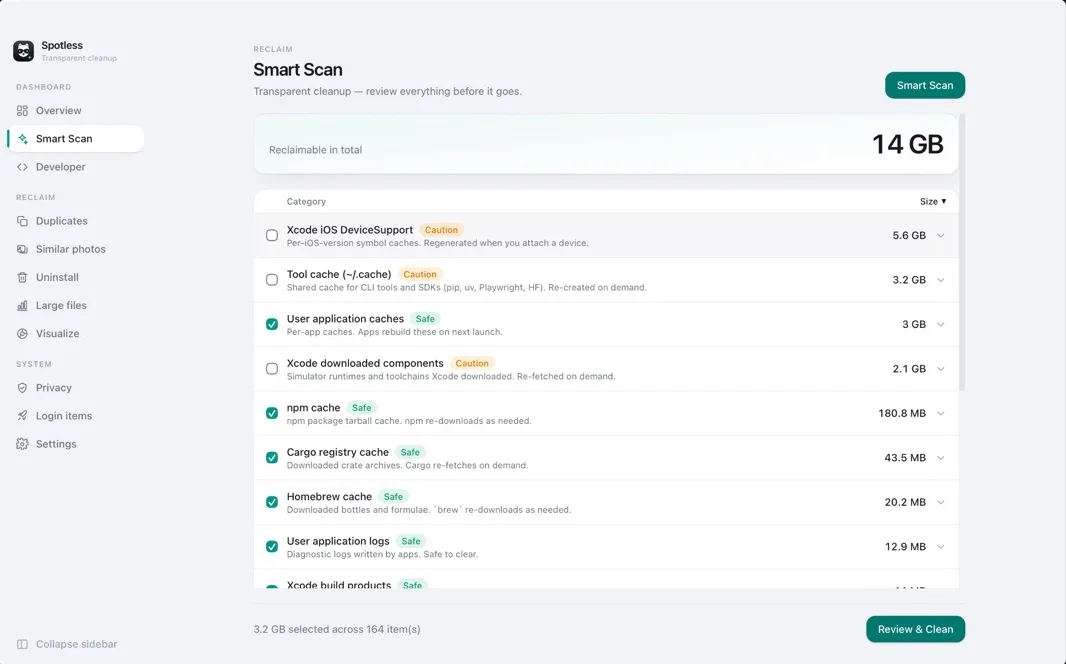
App caches, logs, crash reports, saved state, and leftovers from npm, Homebrew and friends — each rule checked against a safety list.
Compared by content, not filename. Identical files are grouped so you keep one and drop the rest.
Burst sequences and the same frame taken six times, grouped so you can keep the best shot.
Your biggest files, sorted — so a forgotten disk image or video export can't hide.
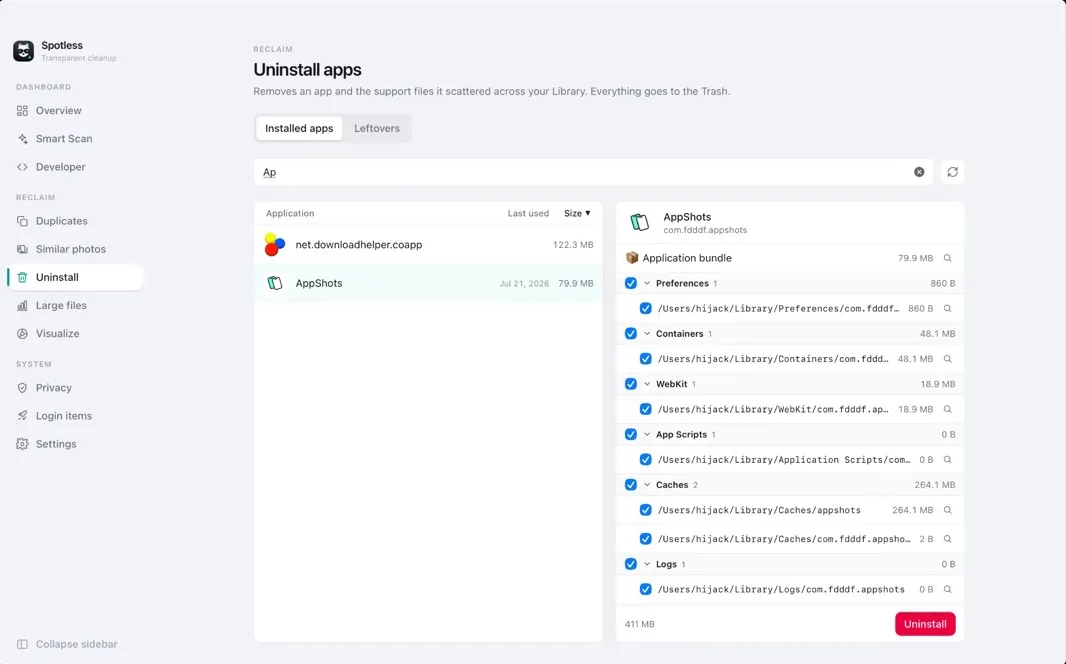
Removes an app together with its support files, caches, preferences and saved state. The Leftovers view finds what apps you deleted long ago left behind.
An interactive map of where your space went. Click into a folder instead of guessing.
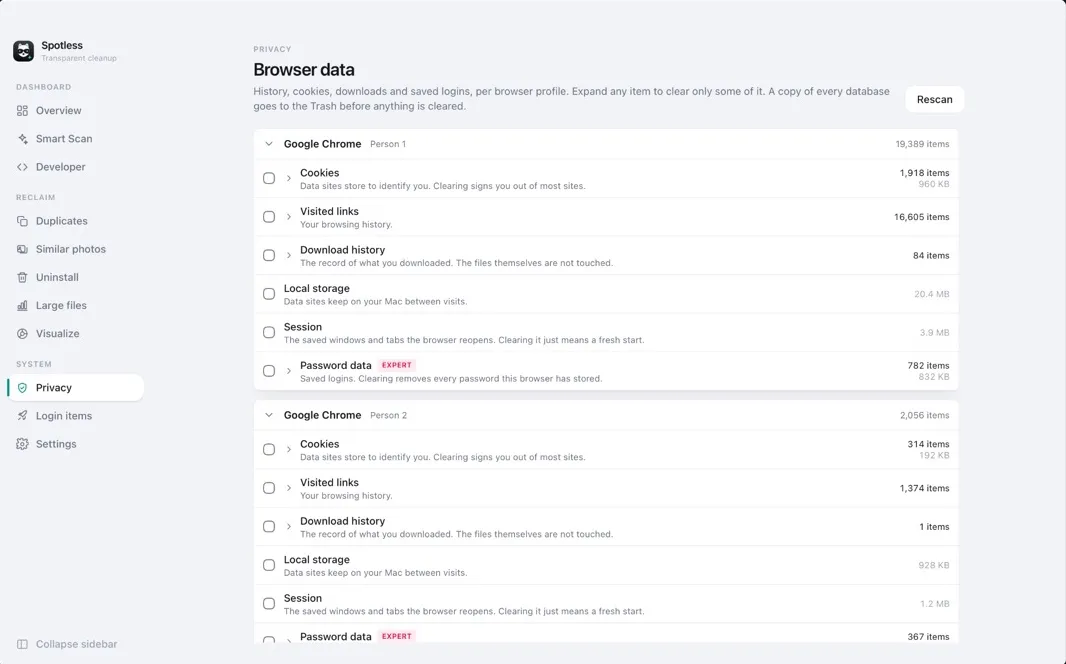
Review and clear history, cookies and site data across the browsers you use, one profile at a time.
Hide the Dock icon and Spotless lives in the menu bar: a quick system monitor on click, Smart Scan on right-click.
See what launches when you log in and switch it off — reversible, and it leaves the app's files alone.
Skins & backdrops
Each one tuned for light and dark mode.
Each with dimming, blur and accent already tuned. Aurora is free; the rest come with the unlock.
Or use a picture of your own — JPEG, PNG or HEIC, with adjustable dimming and blur. It's copied into the app's own folder and never leaves your Mac.
No account. No sign-in. No ads. No tracking. Spotless is a fast, local tool — nothing about your files ever leaves the machine.
Pricing
Scanning is free forever. Unlock cleaning with a one-time payment — no subscription — or get it on the Mac App Store.
$29.99 per year
One Mac · a year of updates
Buy 1-YearDirect download · full app · key by email
$99.99 one-time
Up to 3 Macs · updates forever
Buy LifetimeDirect download · full app · key by email
Trial then subscribe
Subscription or one-time purchase, billed by Apple. Free trial for eligible new subscribers.
View on the App StoreSandboxed · home folder and the folders you grant
Junk cleaning, the disk map, duplicates, similar photos, large files, developer clutter in ~/Library/Developer, browser privacy — and the free, unlimited scan.
Learn
Questions
Yes. Scanning, the disk visualizer and the system overview are free and unlimited, and the result is never blurred — every file, every size. You only pay to remove what it found.
Every rule is checked against a safety list, each item is marked Safe or needs review, and you see the full file list before anything is removed.
The direct download runs outside the macOS sandbox with Full Disk Access, so it can reach system caches, empty the Trash and remove apps completely. The App Store version is sandboxed: the core cleaning works, limited to the folders you grant. Full comparison →
It is emailed to the address you paid with, usually within a few minutes. Paste it into the app once. If it has not arrived, check spam, then write to [email protected].
The 1-year license covers one Mac. The lifetime license covers up to three, and you can move a seat to a new Mac when you retire an old one.
No. There is no account, no sign-in, no ads and no tracking. Everything happens on your Mac, and nothing about your files leaves it.